Progress and valuations you can back up
Every month we retype what we installed, and every month it is questioned.
Install status is recorded per element and rolls up by area, system and work package. The same record feeds your progress report and your application for payment, so the quantities claimed are the quantities shown on the model, with the source on every row.
Every answer cites its source. People decide.
How it works
Ask. Inspect. Verify. Publish.
Ask
A plain-language question.
Inspect
The full blast radius, on the model.
Verify
Checked against the governing drawings and specs.
Publish
A dashboard, report or register, citations attached.
One job, start to finish.
Values come from a structured reference campus, not from a client project.
- 01
Reference campus, day 90 report.
- 02
Hall 2: 0 of 16 electrical cabinets installed, work package A4401.
- 03
The spreadsheet, the dashboard and the 3D view show the same 16 cabinets.
- 04
The reviewer can open any row and see the elements behind it.
The same check as exec tiles, every number cited.
The same rows, straight into the spreadsheet teams already use.
"Which Hall 2 cabinets are installed?"
source: Progress layer · package A4401
The same answer as a sentence, citation included.
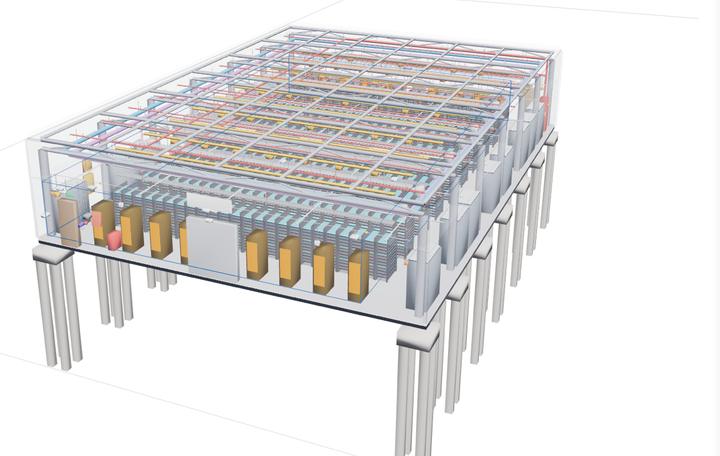
The same 16 cabinets, isolated on the real model in the product.
Platform capabilities used
The same capabilities serve every segment. Each one links to its section.
Stop waiting. Start building.
Book a call with the founders. Thirty minutes, your questions, and what Criad looks like on a data centre build.